Cold Email Autopilot · Features
AI drafts the answer. You press send.
Every reply that needs a decision sits in one queue, with how it was classified and an AI-written reply waiting for your OK.
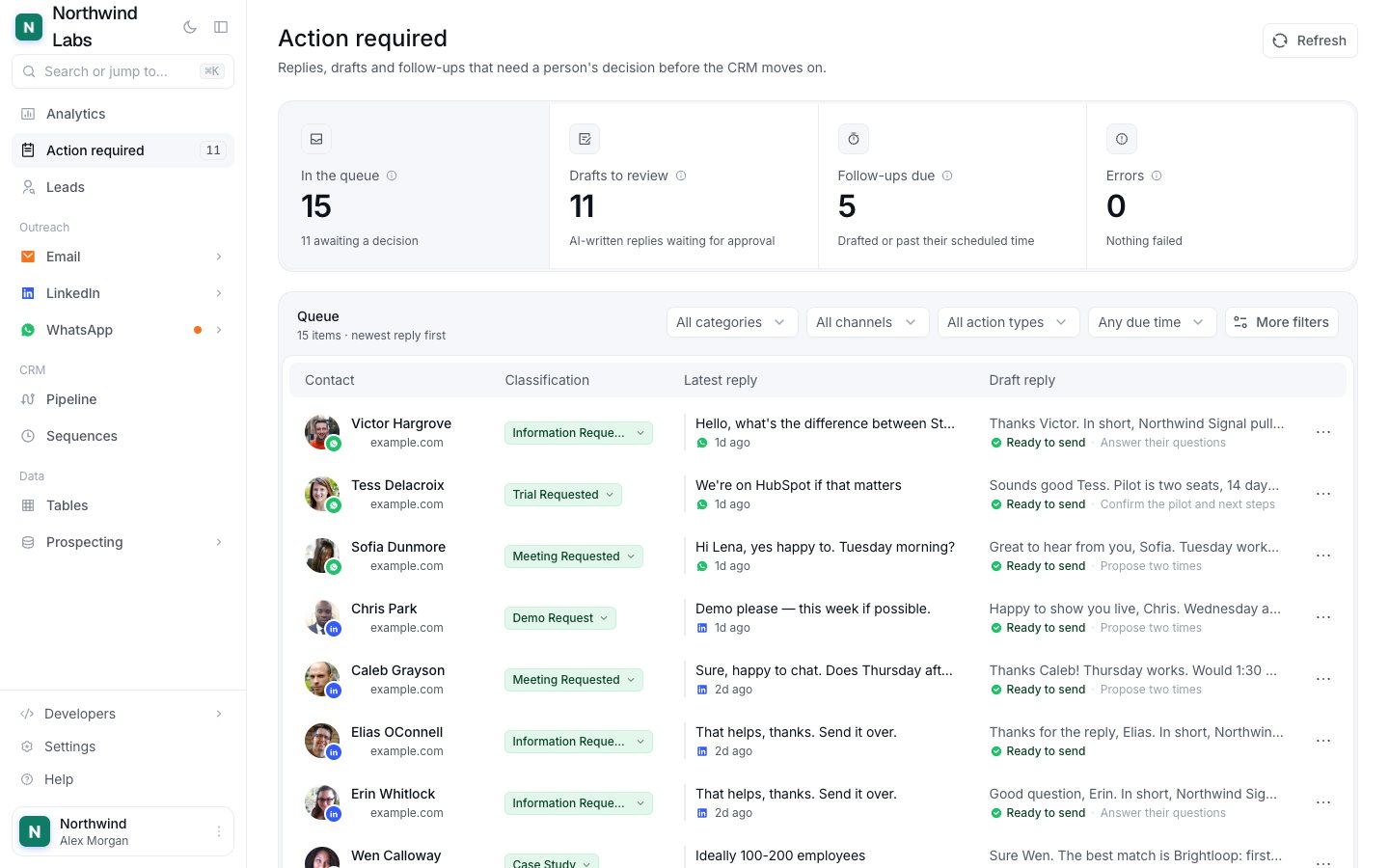
A real screen of Cold Email Autopilot, with sample data.
Every reply that needs a decision sits in one queue: drafts to review, follow-ups due, errors.
Each one shows how it was classified and the reply the AI wrote. Edit it or send it.
- Drafts to review
- Follow-ups due
- Filter by channel and category
How to use it
- Open Action required.
- Read the AI draft.
- Edit or send.
More in Cold Email Autopilot
Analytics
Replies, positive replies, meetings and customers, with the change from last period. Each reply is sorted by what it means: interested, not interested, other.
Pipeline
Waiting on you, waiting on them, or out of follow-ups. Edit the draft or send it right from the card.
Sequences
Reusable reply flows: after the meeting, book the meeting, bump after out-of-office. Turn on auto-send and the follow-ups go out on their own.